I haven't posted my menu system yet because I've been working on some programming problems "someone" asked me to work on ;). I also moved into my new place this weekend, so I've been extra busy. I hope to be done with these top secret programming problems by tonight. Hopefully I'll be able to post some code for my menu system by the end of the week.
I was looking at some other XNA code yesterday, and I think I need to look into spriteFonts. I might be able to use those instead of the bitmap font class I'm using now. spriteFonts are built in to XNA, so they might be faster. I'll have an easier time modifying the font type, that's for sure. More later this week...
Tuesday, March 11, 2008

Thursday, March 6, 2008
Menu System, Continued
Okay, the menu system is coming a long nicely. I've got it displaying on the screen where I want it, and it is doing the collision detection work to select options with the mouse and keyboard. I'll save the events for tomorrow.
The only change to the below code is that you have to pass the Game class when you create the menu (I've created the menu system as a DrawableGameComponent):
I'm using a bitmap font class that I got here to do the work of displaying the text. The only problem I can see with using this class is that it will force me into a certain font... It's pretty well designed though, so it has made it a lot easier to get going. I'll have to visit different fonts later. Right now, Times New Roman is my best friend.
The only change to the below code is that you have to pass the Game class when you create the menu (I've created the menu system as a DrawableGameComponent):
menu = new Menu(this);
I'm using a bitmap font class that I got here to do the work of displaying the text. The only problem I can see with using this class is that it will force me into a certain font... It's pretty well designed though, so it has made it a lot easier to get going. I'll have to visit different fonts later. Right now, Times New Roman is my best friend.
Wednesday, March 5, 2008
Designing a Menu System
Well, it's 2am and I've been plugging away at what I think will be a useful menu system. We'll have to just wait and see when I've got it finished. I'm basing the architecture on the way a TreeView works in C#, and my goal is that the following code will initialize a menu:
Menu menu = new Menu();
menu.AddChoice("New Game");
menu.AddChoice("Load Game");
MenuChoice OptionsMenu = menu.AddChoice("Options");
OptionsMenu.AddChoice("Resolution");
OptionsMenu.AddChoice("Volume");
menu.NodeSelectedEvent += new Menu.ChoiceExecutedHandler(ChoiceExecuted);
We'll see what I end up with. Hopefully it won't get too cluttered with code related to drawing the darn thing.
Monday, March 3, 2008
Some Changes and Updates
I've just changed my blog size to be a little wider. I was getting tired of my code being all squished. Also, I'm using the Visual Studio 2005 add-in CopySourceAsHtml to display code in my posts. After getting it set up, you can just copy and paste right into the blogger post editor.
XNA - How to Disable Bitmap Magnification Blending (Blur)
In working on my code for Conway's Game of Life, I ran into a problem with the default bitmap scaling behavior in XNA. I'm generating a bitmap that I scale to the size of the window. When this bitmap is displayed, it is shown as a blurry mess:
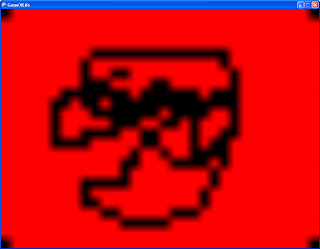
Removing that doggone blending is actually quite simple. You have to modify your spriteBatch.begin() call, and modify the graphics device settings immediately after, like so:
The key in the spriteBatch.Begin() call is the SpriteSortMode. Setting this value to immediate causes any changes to the graphics device to be applied immediately. And we want to make a change, as you can see in the next line of code. I'm changing the magnification filter to TextureFilter.None because I don't want it to blue anything. After this, you draw and scale your sprites like normal. The result looks like this:
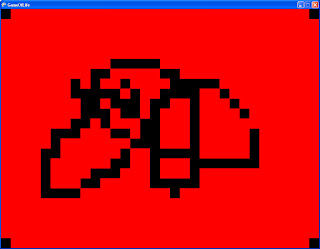
ahh... much better!

Removing that doggone blending is actually quite simple. You have to modify your spriteBatch.begin() call, and modify the graphics device settings immediately after, like so:
spriteBatch.Begin(SpriteBlendMode.AlphaBlend,
SpriteSortMode.Immediate, SaveStateMode.None);
graphics.GraphicsDevice.SamplerStates[0].MagFilter = TextureFilter.None;
The key in the spriteBatch.Begin() call is the SpriteSortMode. Setting this value to immediate causes any changes to the graphics device to be applied immediately. And we want to make a change, as you can see in the next line of code. I'm changing the magnification filter to TextureFilter.None because I don't want it to blue anything. After this, you draw and scale your sprites like normal. The result looks like this:

ahh... much better!
Sunday, March 2, 2008
Displaying a Mouse Pointer in XNA
XNA doesn't automatically show you a mouse pointer within the game window. Solving this is easy. First, you need a position for your mouse. You'll also need a 2d texture to display as your mouse pointer. Declare this within your game class:
Be sure to initialize it to zero. For simplicity, I also generate a simple red square texture to use as the mouse pointer. I'm doing all of this in the Initialize() function. In my (very short) experience with XNA, you'd want to initialize textures in the LoadContent() function, but this is not loading from a file, so it's safe to do it all in the Initialize() function like this:
Now, in the Update() function, update your mouse position:
And finally, in the Draw() function, draw your sprite in a spritebatch:
Grab the sample project for this here.
Texture2D m_mouseTexture;
Vector2 m_mousePos;
Be sure to initialize it to zero. For simplicity, I also generate a simple red square texture to use as the mouse pointer. I'm doing all of this in the Initialize() function. In my (very short) experience with XNA, you'd want to initialize textures in the LoadContent() function, but this is not loading from a file, so it's safe to do it all in the Initialize() function like this:
m_mousePos = Vector2.Zero;
m_mouseTexture = new Texture2D(graphics.GraphicsDevice, (int)POINTSIZE, (int)POINTSIZE, 1, TextureUsage.None, SurfaceFormat.Color);
Color[] texture = new Color[POINTSIZE * POINTSIZE];
for (int i = 0; i < texture.Length; ++i)
{
texture[i] = Color.Red;
}
m_mouseTexture.SetData(texture);
Now, in the Update() function, update your mouse position:
MouseState mouseState = Mouse.GetState();
m_mousePos.X = mouseState.X;
m_mousePos.Y = mouseState.Y;
And finally, in the Draw() function, draw your sprite in a spritebatch:
spriteBatch.Begin();
spriteBatch.Draw(m_mouseTexture, m_mousePos, null, Color.White, 0f,
Vector2.Zero, 1.0f, SpriteEffects.None, 0f);
spriteBatch.End();
Grab the sample project for this here.
Saturday, March 1, 2008
Conway's Game of Life

I thought I should talk a little about the project I'm focusing on right now. I'm still spinning up on XNA, and I was reading an article somewhere recently that mentioned Conway's Game of Life. I was never taught about this in school for some reason. What a wonderful little thing!
Anyways, I thought it would be fun to implement Conway's Game of Life in XNA to give myself something tangible (in the software sense... what does that really mean, anyways?) to work on. I've already got a basic architecture done, but I want to write down some of the guidelines I'm trying to stick to. Just basic stuff, like:
What am I trying to learn?
- I want to learn about what it will take to implement a menu system in XNA.
- I want to learn about mouse interaction with an object (the game board) on the screen.
Which Game of Life algorithm should I use?
- a few are mentioned on the wiki page, notably hashlife. Since I'm not trying to learn about Game of Life specifics, I'm going to start with brute force with two 2d arrays (one for the current interation, and one for the next). It will give me a good quick start on my goal, and also give me a good baseline if I decide to optimize the algorithm.
What operations should I allow?
- a mouse click should turn a cell on or off. Hold and drag to fill or unfill cells under the mouse pointer
- spacebar should step to the next iteration.
- enter should run through iterations at the chosen speed (we'll need a menu for that).
What should the menu contain?
- Options
- run speed
- window size
- colors?
- I'll leave any other nifty stuff for later.
Things that would be very interesting to implement:
- the ability to move and zoom the camera around the grid with the mouse or keyboard
- some logic to move and zoom the camera automatically, and follow the most activity in the grid. One nasty corner case for this is any gliders that come off of the high activity areas. how do i know when to ignore them?
More to come later when I have more of this implemented.
Subscribe to:
Comments (Atom)